Every Storage Capacity Explained. How Much Do You Actually Need?
Long-form12:58Science & Technology
Published Oct 15, 2026, 9:55 AM · 15h ago

Socket-X
19.7K subscribers · median 30.3K views
Screen recording · confirmed$Likely
Views
1,418
+213 views/hour
Likes
52
3.7% of views
Comments
12
0.85% of views
Checked every 30 min while the video is this age · last check 7h ago · next in 0 min. YouTube itself updates public counts with a short delay.
Views / hour now
213
measured 7h ago
Peak views / hour
347
9h ago
Avg views / day
1.4K
since upload
First 24 hours
—
not tracked from upload
vs channel median
0.1×
Rank in channel
#20
of 20 tracked
Engagement
4.5%
likes + comments / views
Est. ad revenue
$10–$23
lifetime, $7–16 RPM
Views over time
17 readings · line: total views · bars: views gained per hour
Description
How much storage do you actually need in 2026? Is 256GB enough for Windows 11? Should you buy a 512GB SSD, 1TB, or 2TB? And when does an HDD make more sense than an SSD?
From tiny 16GB drives to massive 16TB storage systems, we explain every major storage capacity, what it can realistically hold, and which sizes make sense for gaming, everyday computing, video editing, and backups.
💻 Check out my second channel — SafeMode-X:
Windows, software, AI, useful PC tips and everything beyond PC hardware.
https://www.youtube.com/@SafeMode-X
Every Windows 11 Edition Explained: https://www.youtube.com/watch?v=-Fn6UzjfnjY
💾 Recommended SSDs:
• Best Budget Gen4 — 1TB: https://link.amazon/B0bCvj66T
• Best Value Gen5 — 1TB: https://link.amazon/B0fcjk8m6
• Best Value Gen5 — 2TB: https://link.amazon/B0esCsZx0
Note: A good Gen4 SSD is already fast enough for most gaming and everyday tasks. Gen5 is mainly worth considering for faster large-file transfers and demanding workloads.
As an Amazon Associate, I earn from qualifying purchases. Using these links supports the channel at no extra cost to you!
If You've Ever Wondered:
• Whether 64GB is actually enough for Windows 11
• If 128GB or 256GB SSDs are still worth buying
• Whether 512GB is enough for a modern laptop
• If 1TB is the sweet spot for PC gaming
• Whether 2TB is worth paying extra for
• Why modern games take up so much storage
• Why a 256GB SSD only shows around 238GB in Windows
• Whether SSDs are always better than HDDs
• If you really need to keep 20% of your SSD empty
• Whether 4TB, 8TB, or 16TB makes sense for home users
• Or how much storage you should actually get for your next PC...
...this video is for you.
What You'll Learn:
• What different storage capacities are actually useful for
• How much space Windows 11 needs
• How modern games and video editing projects consume storage
• Why advertised SSD capacity differs from what Windows displays
• The difference between SSD and HDD storage
• Why NVMe SSDs can be faster than SATA SSDs
• How drive capacity can affect SSD performance
• Why filling an SSD completely can cause problems
• When multiple drives are worth using
• What NAS and RAID actually do
• Why RAID is not a replacement for backups
• Which storage sizes make sense for laptops, gaming PCs, and content creators
Storage Capacities Explained:
• 16GB — Lightweight Systems and Recovery Tools
• 32GB — Budget PCs and Storage Limitations
• 64GB — Windows 11 Minimum Requirements
• 128GB — Basic PCs and Gaming Handhelds
• 256GB — Everyday Computing
• 512GB — Laptops and General Use
• 1TB — Gaming and Everyday Storage
• 2TB — Large Game Libraries and Video Editing
• 4TB — High-Capacity SSDs vs HDDs
• 8TB — NAS, RAID, and Home Servers
• 16TB and Beyond — Archives and Massive Storage Systems
Timestamps:
00:00 — How Much Storage Do You Really Need?
00:17 — 16GB: Can You Still Use It?
01:15 — 32GB: The Windows Update Nightmare
02:06 — 64GB: Barely Enough for Windows 11
03:04 — 128GB: Budget PCs and Gaming Handhelds
04:04 — 256GB: Where Did the Missing Space Go?
05:07 — 512GB: Enough for Everyday Use?
06:10 — 1TB: The Sweet Spot for Gaming?
07:43 — 2TB: Games, Video Editing, and More
08:39 — 4TB: SSD vs HDD
09:46 — 8TB: NAS, RAID, and Backups
10:43 — 16TB and Beyond: Massive Storage Systems
11:39 — Which Storage Capacity Should You Buy?
💬 How much storage do you have right now, and what's taking up most of it?
#Storage #SSD #PCExplained
Tags
storage capacity explainedhow much storage do I needSSD capacity explainedSSD sizes explained256GB vs 512GB512GB vs 1TB1TB vs 2TBhow much SSD storage do I needbest SSD size for gamingis 512GB enoughis 1TB enough for gamingSSD vs HDDNVMe vs SATA SSDWindows 11 storage requirementshow much storage for gamingPC storage explainedlaptop storagestorage for video editing4TB SSD8TB storage16TB HDDNAS explainedSSD buying guideSafeMode-X
Details
- Published
- Oct 15, 2026, 9:55 AM
- Length
- 12:58 (778 s)
- Format
- Long-form
- Category
- Science & Technology
- Audio language
- EN
- Quality
- HD
- Captions
- No
- Made for kids
- No
- Licensed content
- Yes
- Video ID
- 9PxvNfIibe4
More from Socket-X
 Every RAM Size Explained. How Much RAM Do You Actually Need?40.9K views · 1w ago
 Every NVIDIA GPU Feature Explained — What Does Your GPU Support?21.4K views · 2w ago
 Every Intel & AMD CPU explained. Which One Should You Buy?27.5K views · 3w ago
 Every MSI GPU Explained in 10 min. Which One Should You Buy?24.7K views · 4w ago
 Every Asus GPU Explained in 12 min. Which One Should You Buy?48.3K views · 5w ago
 Every GPU Brand Explained. Which One Should You Buy? [Complete Edition]153K views · 6w ago
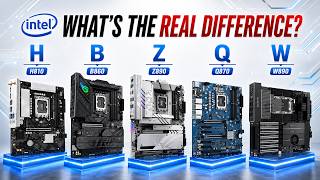 Every Intel Motherboard Chipset Explained. Which One Should You Buy?28.8K views · 7w ago
 Every AMD Motherboard Chipset Explained. Which One Should You Buy?383K views · 8w ago
Statistics from the YouTube Data API, tracked by FameX. Views per hour, revenue and comparisons are FameX estimates.