This Might Be the Best AI Filmmaking Tool of 2026 (Full Workflow)
Long-form8:44Education
Published Sep 7, 2026, 2:07 PM · 5w ago

Ryan Brooks
55.8K subscribers · median 2.1K views
Screen recording · confirmed$Likely
Views
3,852
+0 views/hour
Likes
27
0.7% of views
Comments
13
0.34% of views
Checked every 24 h while the video is this age · last check 22h ago · next in 65 min. YouTube itself updates public counts with a short delay.
Views / hour now
0
measured 22h ago
Peak views / hour
—
Avg views / day
97
since upload
First 24 hours
—
not tracked from upload
vs channel median
1.8×
Rank in channel
#8
of 20 tracked
Engagement
1.0%
likes + comments / views
Est. ad revenue
$27–$62
lifetime, $7–16 RPM
Views over time
0 readings · line: total views · bars: views gained per hour
Live tracking started
The chart fills in as FameX records new readings.
Description
Try Topview AI Film Studio 👉 https://www.topview.ai/?via=AIBunny
In this video, I show you the exact workflow I used inside Topview AI Film Studio to go from just generating clips to actually directing them. You'll see how to control the camera movement, extend a scene naturally, fix the flat AI look on faces, change expressions, adjust lighting, and upscale to 4K, all without switching between different tools.
Here's what you'll see in this video:
✅ Using a reference photo so the character identity stays accurate
✅ Controlling camera movement and locking a consistent visual style
✅ Using Clip Edit to fix one small part instead of regenerating the whole video
✅ Frame Capture and Extend to continue a scene naturally from where it left off
✅ Enhance Portrait to fix that flat, overly processed AI face look
✅ Expression Control to change how your character reacts
✅ Relight to change the lighting mood without regenerating the whole image
✅ Using Agent with a Cinematic Disaster skill to build a full multi-shot sequence
✅ Upscaling to 4K and finishing everything in the built-in timeline editor
👍 If this video helped you, drop a like
💬 Comment below if you want me to share the exact prompts I used
🔔 Subscribe for more AI filmmaking tools and workflows
#TopviewAI #AIFilmStudio #AIFilmmaking #Seedance #AICinematicVideo #AIVideoGenerator #AITools2026 #AIDirecting
Tags
Topview AITopview Film StudioAI film studioAI cinematic videoSeedance 2.5AI camera controlAI video extend featureAI face enhanceAI portrait enhanceAI video agentAI video upscale 4KAI filmmaking tutorial 2026best AI video editing toolAI video timeline editortopview ai film studiofilm studio
Details
- Published
- Sep 7, 2026, 2:07 PM
- Length
- 8:44 (524 s)
- Format
- Long-form
- Category
- Education
- Audio language
- EN-US
- Quality
- HD
- Captions
- No
- Made for kids
- No
- Licensed content
- Yes
- Video ID
- Kv4Yshqll1A
More from Ryan Brooks
 How to Make a Kids Cartoon With GPT-6 Astra and Seedance 2.5 (Full Guide)1.8K views · 4d ago · +2/h
 I Recreated Zack D. Films' 3D Shorts With One AI Agent4.4K views · 1w ago · +1/h
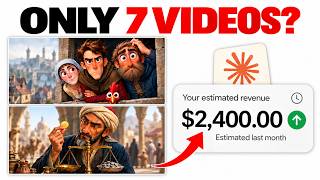 This Channel Made $2,400 With Only Seven Videos, Here's the Exact Workflow19.6K views · 1w ago · +3/h
 How to Make Stickman Explainer Videos With UNLIMITED AI Images (Full Tutorial)32.4K views · 2w ago · +27/h
 How to Make Al Commercials With GPT-6 Astra and Seedance 2.5 (Full Tutorial)1.9K views · 2w ago · +3/h
 How to Make an Animated Cartoon Video Using Al11.5K views · 3w ago
 How I Create Viral Quiz Videos With GPT-6 Astra Using One Master Prompt23K views · 4w ago · +2/h
 I Made My Entire Content Process Fully Automated With One AI Agent500 views · 4w ago
Statistics from the YouTube Data API, tracked by FameX. Views per hour, revenue and comparisons are FameX estimates.