After Effects 3D Tutorial: Recreating Baahubali's Statue Intro Shot
Long-form9:51Film & AnimationPublished Jun 5, 2026, 7:49 AM · 4mo ago

Views
13,937
+0 views/hour
Views / hour now
0
measured 22h ago
Peak views / hour
—
First 24 hours
—
not tracked from upload
Engagement
4.2%
likes + comments / views
Likes
553
4.0% of views
Comments
36
0.26% of views
Est. ad revenue
$15–$33
lifetime, $1.05–2.4 RPM
Checked every 24 h while the video is this age · last check 22h ago · next in 112 min. YouTube itself updates public counts with a short delay.
Avg views / day
99
since upload
vs channel median
1.9×
this video's views ÷ the channel's usual
Rank in channel
#7
of 20 tracked
Views over time
0 readings
Total views Views gained per hour
Live tracking started
The chart fills in as FameX records new readings.
Description
Ever wondered how they made that epic, hyper-stylized decapitation freeze-frame in Baahubali 2? In this After Effects tutorial, we’re breaking down the entire shot and recreating it from scratch! From setting up the 3D environment to adding that brutal Element 3D blood and striking thunder, I'll show you exactly how to get that cinematic, high-contrast look.
Don't forget to drop a like, subscribe, and let me know in the comments what movie effect we should recreate next on @vfx-nirvana! 🔥
⏱️ Timestamps / Chapters
0:00 - The Baahubali Freeze Frame Effect
0:24 - Free 3D Assets
0:52 - Scene Setup (24mm Camera, Importing 3D Assets)
4:04 - The Blood Effect (Element 3D Setup: Position, Particle Replicator & Look)
5:40 - Adding 2D Elements (AE Blood PNG Integration)
6:43 - Dynamic Lighting (Spotlights & Env Light Setup)
7:50 - Cloud Background
8:19 - Thunder Strikes (Forking & Decay Keyframes)
9:21 - Final Result
Technical Notes & Expressions
For the lighting setup, here is the expression used to automatically link your lights to the 3D model's position. Just Alt-click the position stopwatch and paste this in:
thisComp.layer("main.glb").transform.position
Project & Assets:
Project File: Coming soon
Assets: https://mega.nz/folder/cNFRVBTb#Hoz2-FmZhnlzBv9Yuz4t2w
image/Text to AI:
Meshy: https://www.meshy.ai/?utm_source=meshy&utm_medium=referral-program&utm_content=1GZBZV&share_type=invite-friends
Tripo: https://studio.tripo3d.ai/?via=VN
🛠️ Software & Plugins Used
Adobe After Effects
Video Copilot Element 3D
DeepGlow
Drop a comment if you get stuck on any of the steps, bhai. Happy editing, and keep creating! 🎬
Music Credits:
Music: TheFatRat & Everen Maxwell - Warbringer (feat. Lindsey Stirling)
Watch the official music video: https://tinyurl.com/tfrwarbringer
Listen here: https://thefatrat.ffm.to/warbringer
Follow TheFatRat: https://ffm.bio/thefatrat
Song: Warriyo - Mortals (feat. Laura Brehm) [NCS Release]
Music provided by NoCopyrightSounds
Free Download/Stream: http://ncs.io/mortals
Watch: http://youtu.be/yJg-Y5byMMw
#AfterEffects #NoPlugin #AEtutorial #AfterEffectsTutorial #MotionGraphics #vfxnirvana
Details
- Published
- Jun 5, 2026, 7:49 AM
- Length
- 9:51 (591 s)
- Format
- Long-form
- Category
- Film & Animation
- Audio language
- HI
- Quality
- HD
- Captions
- Yes
- Made for kids
- No
- Licensed content
- Yes
- Video ID
- REwxE3UheZA
More from VFX Nirvana
 What if Ramayana had a Baahubali Intro | After Effects Tutorial170K views · 4d ago · +1.2K/h
 How to Make a Cinematic Logo Reveal in After Effects | Dune Style3.1K views · 2w ago · +1/h
 5 FREE After Effects Plugins to Make Your VFX Look Expensive3.1K views · 4w ago · +1/h
 How to Make a 3D Photo Slideshow in After Effects (No Plugins)2.9K views · 4w ago
 I Mapped the Nepal Flood's Path in 3D (Google Earth Studio + After Effects Tutorial)99.3K views · 6w ago
 How to Make Thor Lightning Effect in After Effects25.2K views · 8w ago
 How to Emit Particles from a 3D Model | Ramayana God VFX in After Effects3.7K views · 2mo ago
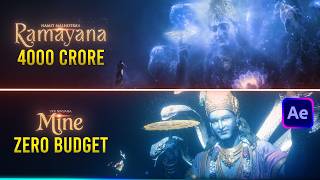 How to Make a 3D God Reveal in After Effects | Ramayana God VFX - Part 164.1K views · 2mo ago
Statistics from the YouTube Data API, tracked by FameX. Views per hour, revenue and comparisons are FameX estimates.