Tech & AIAI and Tech for EducationHow to Use Storyboard Studio in Google Flow (Step-by-Step)- AI movie from start to finish!
How to Use Storyboard Studio in Google Flow (Step-by-Step)- AI movie from start to finish!
Long-form7:41Howto & Style10.9× channel median
Published Jul 19, 2026, 9:32 AM · 3mo ago

AI and Tech for Education
46.9K subscribers · median 6.5K views
Screen recording · confirmed$Likely
Views
71,052
views/hour after the next reading
Likes
1.5K
2.2% of views
Comments
67
0.09% of views
Checked every 24 h while the video is this age · last check 21h ago · next in 142 min. YouTube itself updates public counts with a short delay.
Views / hour now
—
needs two readings
Peak views / hour
—
Avg views / day
781
since upload
First 24 hours
—
not tracked from upload
vs channel median
10.9×
Rank in channel
#1
of 20 tracked
Engagement
2.3%
likes + comments / views
Est. ad revenue
$497–$1,137
lifetime, $7–16 RPM
Views over time
0 readings · line: total views · bars: views gained per hour
Live tracking started
The chart fills in as FameX records new readings.
Description
Learn how to use the free Storyboard Studio in Google Flow to create an AI movie from start to finish.
In this step-by-step tutorial, I’ll take one simple idea, “What if Earth stopped spinning for five seconds?”, and turn it into a cinematic 3D animated video.
You’ll learn how to:
Create a script with ChatGPT
Choose a visual style in Storyboard Studio
Generate characters, locations, and props
Turn the script into storyboard frames
Add character voices and dialogue
Animate each storyboard frame
Combine the generated scenes into a complete AI movie
This workflow is ideal for educational videos, short films, documentaries, storytelling, and cinematic AI content.
Try Google Flow here: https://labs.google/fx/tools/flow
If you found this tutorial useful, please like the video, subscribe, and let me know in the comments what story you would create with Storyboard Studio.
#GoogleFlow #StoryboardStudio #AIMovie #AIFilmmaking #AIVideo #GoogleAI #ChatGPTTutorial
Tags
Google FlowStoryboard StudioGoogle Flow Storyboard StudioStoryboard Studio tutorialhow to use Storyboard StudioGoogle Flow tutorialAI movie generatorAI filmmakingcinematic AI videoAI video generatorfree AI video generatorscript to video AIstoryboard to videotext to video AIAI animation3D AI animationAI short filmGoogle AIChatGPT script writingAI storytellingAI video workflowAI content creationStoryboard AIGoogle Labs Flow
Details
- Published
- Jul 19, 2026, 9:32 AM
- Length
- 7:41 (461 s)
- Format
- Long-form
- Category
- Howto & Style
- Audio language
- EN
- Quality
- HD
- Captions
- No
- Made for kids
- No
- Licensed content
- Yes
- Video ID
- mSw8xFPpn2o
More from AI and Tech for Education
 Create Interactive Reports with Gemini Notebook's New Feature! Step by Step Tutorial2.1K views · 22h ago · +69/h
 How to Make Insane Motion Animations with Claude!16.7K views · 1w ago · +12/h
 Grok Bot: The New Tool That Builds You a Whole Team of AI Agents!1.7K views · 2w ago · +1/h
 How to Build a Personalized Learning Plan with Claude Cowork!2.2K views · 3w ago · +1/h
 Gemini Notebook’s HUGE Upgrade: Build Custom Data Tables in Minutes!3.7K views · 4w ago
 Turn Any Book Into a Custom AI Skill and Actually Use What You Learn!10.4K views · 5w ago
 Gemini Notebook’s HUGE Upgrade: Create Fully Editable Excel Workbooks - Episode 210.5K views · 6w ago
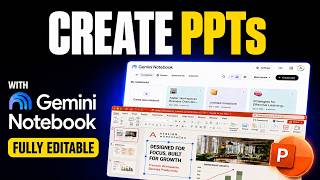 Gemini Notebook’s HUGE Upgrade: Create Fully Editable Branded PowerPoints!18.3K views · 6w ago
Statistics from the YouTube Data API, tracked by FameX. Views per hour, revenue and comparisons are FameX estimates.