How To Make Motion Graphics With AI (After Effects Full Tutorial)
Long-form15:54Howto & StylePublished Sep 28, 2026, 5:11 PM · 3w ago

Views
66,968
+23 views/hour
Views / hour now
23
measured 8h ago
Peak views / hour
32
2d ago
First 24 hours
—
not tracked from upload
Engagement
1.6%
likes + comments / views
Likes
1K
1.5% of views
Comments
45
0.07% of views
Est. ad revenue
$469–$1,071
lifetime, $7–16 RPM
Checked every 12 h while the video is this age · last check 8h ago · next in 216 min. YouTube itself updates public counts with a short delay.
Avg views / day
2.8K
since upload
vs channel median
1.6×
this video's views ÷ the channel's usual
Rank in channel
#5
of 22 tracked
Views over time
7 readings
Total views Views gained per hour
Description
Join the GenHQ Marketplace: https://www.genhq.io
Download the PDF instruction sheets: https://go.genhq.io/genhq-gpt6
Motion graphics have always been the slow part of After Effects. You know the look you want, but building every shape, every transition and every bit of animation by hand takes hours, and most of that time is spent fighting the software rather than being creative.
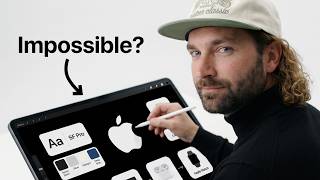
In this video, I'm going to show you how I'm using GPT Astra 6 alongside After Effects to make motion graphics in a fraction of the time. You'll see how I get the AI to do the heavy lifting on the design and the movement, then bring everything into After Effects to tidy it up, add the polish and turn it into a finished piece. Every prompt is on screen so you can follow along.
A lot of people try this and end up with something that looks like AI made it. The animation is floaty, the shapes don't quite line up, and it falls apart the moment you try to edit it. That usually comes down to how you're prompting and what you're asking After Effects to do afterwards, and I'll walk you through both so you can avoid the same mistakes.
By the end of this video, you'll have a repeatable process for going from an idea to a finished motion graphic using GPT Astra 6 and After Effects, and you'll have the PDF instruction sheets to refer back to whenever you need them.
If you have any questions about anything in the video or you get stuck, drop a comment below and I'll do my best to help.
Thanks for watching, and let me know what tutorial you want to see next.
Chapters:
0:00 Intro
0:21 Installing ChatGPT
1:47 Cost Breakdown
2:47 Setting Up After Effects
3:15 Connecting ChatGPT to After Effects
4:21 Creating Motion Graphics
6:02 Using Video References
9:00 Custom UI Elements
12:12 Final Animation Review
14:15 Conclusion and Thoughts
Not "After Effects for beginners", Not "After Effects motion graphics crash course", Not "best AI tools for video editing", Not "AI animation generator", Not "After Effects shape layer tutorial", Not "GPT Astra 6 review", Not "how to animate in After Effects", Not "AI motion design tools 2026", Not "After Effects tips and tricks", But this video shows you exactly how to make motion graphics with GPT Astra 6 and After Effects, from the first prompt to the finished animation.
Similar to tutorials creators like Ben Marriott, Evan Abrams, Jake In Motion, Motion Array, Film Booth, Justin Odisho and Jordy Vandeput (Cinecom) would upload, but this is my own simplified guide to making motion graphics with AI and After Effects.
If you're searching for how to make motion graphics with AI, GPT Astra 6 tutorial, AI motion graphics After Effects, After Effects AI workflow, how to animate with AI, motion graphics for beginners, or AI tools for After Effects, this video covers all of it.
Details
- Published
- Sep 28, 2026, 5:11 PM
- Length
- 15:54 (954 s)
- Format
- Long-form
- Category
- Howto & Style
- Audio language
- EN
- Quality
- HD
- Captions
- No
- Made for kids
- No
- Licensed content
- Yes
- Video ID
- mcpAbTHFIRE
More from Rourke
 Seedance 2.5 Tutorial: Infinite Camera Angles (Hybrid Workflow)15.9K views · 1d ago · +454/h
 How to run Seedance 2.5 on Artlist to turn low-quality footage into cinema8.2K views · 2d ago · +79/h
 Kling 4.0 just released today! 🫡8.1K views · 6d ago
 AI Video-to-Video with Seedance 2.510K views · 1w ago · +29/h
 How To make Pro-quality AI Images for Your Business (Magnific One Tutorial)13.2K views · 1w ago · +17/h
 How to Make Branded AI Imagery With Magnific One8.1K views · 1w ago · +6/h
 How to get INSANE voices for your videos using ElevenLabs!15.2K views · 1w ago · +16/h
 Kling 4.0 flash just released, available on Higgsfield Oct 8th 👀151K views · 3w ago · +79/h
Statistics from the YouTube Data API, tracked by FameX. Views per hour, revenue and comparisons are FameX estimates.