Tech & AIYT Raftar techGemini App se Trending AI Photo Kaise Banaye | AI Photo Editing Tutorial #ytraftar
Gemini App se Trending AI Photo Kaise Banaye | AI Photo Editing Tutorial #ytraftar
135.6× channel medianShort0:18Science & TechnologyPublished Oct 16, 2026, 7:11 AM · 6d ago
Views
4,204
+19 views/hour
Views / hour now
19
measured 2h ago
Peak views / hour
19
2h ago
First 24 hours
—
not tracked from upload
Engagement
0.3%
likes + comments / views
Likes
13
0.3% of views
Comments
1
0.02% of views
Est. ad revenue
—
Shorts pay from a shared pool
Checked every 3 h while the video is this age · last check 2h ago · next in 50 min. YouTube itself updates public counts with a short delay.
Avg views / day
641
since upload
vs channel median
135.6×
this video's views ÷ the channel's usual
Rank in channel
#2
of 18 tracked
Views over time
13 readings
Total views Views gained per hour
Description
Gemini App se Trending AI Photo Kaise Banaye | AI Photo Editing Tutorial
Dosto, is video me maine bataya hai ki aap Gemini AI App ka use karke trending double exposure style AI photo kaise create kar sakte hain sirf 1 click me.
📌 Prompt: [Use the uploaded photo as the primary and only identity reference for the person. This prompt must work with any uploaded person's photo, regardless of gender, age, or appearance.
Create an ultra-realistic, premium cinematic portrait composition featuring the SAME person from the uploaded reference photo. Preserve their recognizable facial identity, natural face shape, skin tone, eyes, nose, lips, hairstyle, and facial features. Do not replace the person with a different face.
MAIN COMPOSITION:
Create a dramatic vertical 9:16 cinematic poster with two views of the same person blended seamlessly into one image.
Upper Section: A large, ultra-detailed close-up portrait of the person, wearing stylish black round sunglasses and a confident, cheerful smile. One hand is raised naturally beside the sunglasses, with the index finger gently touching the frame. Keep the facial expression natural, attractive, and realistic.
Lower Section: A smaller but clearly visible full-body portrait of the exact same person, standing confidently in a relaxed, stylish pose. One hand is placed casually in a trouser pocket, while the other hand touches the sunglasses. Maintain consistent facial identity, hairstyle, outfit, and accessories in both portraits.
OUTFIT: A stylish black button-up shirt with sleeves casually rolled up, clean white trousers, and white sneakers. Adapt the outfit naturally to the person while maintaining the overall styling.
BACKGROUND AND LIGHTING: A dark, warm, cinematic brown background with glowing golden particles, subtle floating embers, beautiful golden bokeh, and dramatic amber backlighting. Add a soft golden rim light around the hair and shoulders. Create a premium cinematic atmosphere with realistic shadows, depth of field, and a subtle atmospheric glow.
PHOTOGRAPHY STYLE: Professional DSLR photography, photorealistic skin texture, naturally detailed hair, realistic hands and fingers, accurate anatomy, sharp facial details, rich cinematic contrast, warm color grading, premium editorial portrait, 4K quality.
COMPOSITION RULES: The large close-up must dominate the upper and central area. The smaller full-body portrait should appear in the lower-left portion without covering the main face. Blend both views smoothly into the same background. Keep the complete shoes visible and maintain balanced spacing.
REMOVE ALL SOCIAL MEDIA ELEMENTS: No Instagram interface, no Reels icons, no like or heart symbols, no comments, no share or repost icons, no app logos, no advertisements, no install buttons, no usernames, no captions, no watermarks, and no unwanted text.
FINAL OUTPUT: A clean, vertical 9:16 cinematic double-portrait image, suitable for Instagram Reels, Facebook Reels, YouTube Shorts, and viral AI photo trends. Keep the person's identity consistent across both views.**
Steps:
Gemini App open karein.
Apni photo upload karein.
Prompt paste karke generate karein.
#aiphotoediting #geminiai #photoediting #trendingai #ytraftar #ytshorts #shorts
Tags
gemini ai photo editinghow to create ai phototrending ai photo editingai photo editing tutorialgemini app ai photodouble exposure photo editingai se photo kaise banayeai image generatorviral ai photo editingytraftar techshorts
Details
- Published
- Oct 16, 2026, 7:11 AM
- Length
- 0:18 (18 s)
- Format
- Short (3 min or less)
- Category
- Science & Technology
- Audio language
- HI
- Quality
- HD
- Captions
- No
- Made for kids
- No
- Licensed content
- No
- Video ID
- vG3xim538hc
More from YT Raftar tech
 Photo se Viral AI Video Kaise Banaye | YouTube New AI Feature #ytraftar1.6K views · 2d ago · +21/h
 Gemini App se Trending Viral Photo Kaise Banaye | AI Photo Editing Tutorial #ytraftar333K views · 5d ago · +3.4K/h
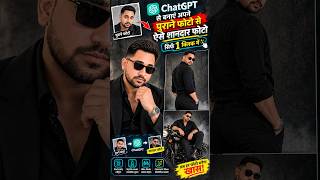 Apni Normal Photo ko AI Photo me Badlo ChatGPT se ⚡#ytraftar #chatgpt790 views · 6d ago · +2/h
 ChatGPT से बनाओ Viral 80s AI Photo 😱🔥 | 1980s Photo Trend #Shorts217 views · 1w ago · +1/h
 YouTube AI Playground: Photo se AI Video Kaise Banaye571 views · 6w ago
 YouTube AI Playground: 3D Avatar Video Kaise Banaye | AI Video Editing #ytshorts424 views · 6w ago
 ChatGPT se 3D Avatar Photo Kaise Banaye | AI Photo Editing338 views · 6w ago
 ChatGPT se Wing Style AI Photo Kaise Banaye | AI Photo Editing #ytraftar2.2K views · 8w ago
Statistics from the YouTube Data API, tracked by FameX. Views per hour, revenue and comparisons are FameX estimates.