Hidden iPhone Features Apple Doesn’t Show You
Long-form13:46People & Blogs11.5× channel median
Published Oct 14, 2026, 7:00 AM · 1d ago

at home
18.6K subscribers · median 6.8K views
Screen recording · confirmed$Likely
Views
77,917
+3,458 views/hour
Likes
2.4K
3.1% of views
Comments
55
0.07% of views
Checked every 30 min while the video is this age · last check 1h ago · next in 0 min. YouTube itself updates public counts with a short delay.
Views / hour now
3.5K
measured 1h ago
Peak views / hour
6.2K
5h ago
Avg views / day
51.6K
since upload
First 24 hours
38K
views at 24 h
vs channel median
11.5×
Rank in channel
#1
of 21 tracked
Engagement
3.2%
likes + comments / views
Est. ad revenue
$545–$1,247
lifetime, $7–16 RPM
Views over time
23 readings · line: total views · bars: views gained per hour
Description
✅ 20 iPhone Settings to Change (Free): https://d6df-contact.systeme.io/d17c33e0
---
💼Business / Partnerships: contact@àlamaison.tech
---
Do you use your iPhone hundreds of times a day, yet feel like it's still hiding plenty of features? In this ultimate guide, we reveal the best hidden iPhone tricks, gestures, and shortcuts Apple built right in—from time-saving text replacements and secret camera upgrades to advanced security settings like Stolen Device Protection and offline maps. Whether you want to master iOS productivity, speed up your workflow, or protect your privacy, these 20+ hidden iPhone tips and tricks will change how you use your phone forever!
---
00:00 Introduction to hidden iPhone tricks
00:22 Talk to Siri without letting go of the side button
00:46 Open Apple Pay instantly
00:56 Launch the Magnifier via triple-click
01:20 Reduce white point for nighttime reading
01:42 Force restart a frozen iPhone
02:06 Jump back and forth across home screen pages
02:22 Switch quickly between open apps
02:43 Why closing apps in the app switcher hurts battery life
02:55 Pull down the screen for easy one-handed reachability
03:05 Type to Siri instead of talking discretely
03:18 Turn your keyboard into a trackpad with the spacebar
03:35 Use selection mode and text navigation shortcuts
03:50 Shake to undo or use three-finger swipe
04:08 Set up text replacement shortcuts for addresses
04:32 Select multiple emails or items by dragging
04:45 Drag and drop photos/text between apps
05:15 Schedule text messages for later delivery
05:36 Turn on RCS messaging for Android users
06:01 Swap phone numbers instantly via proximity
06:21 Strip location data and metadata from shared photos
06:48 Control an iPhone remotely via FaceTime screen sharing
07:40 Lock and require Face ID for individual apps
08:09 Turn on Stolen Device Protection for maximum security
08:38 Set up and show your Medical ID during emergencies
08:58 Translate foreign text straight through the camera
09:14 Use live face-to-face translation mode
09:36 Convert currencies, weights, and temperatures in Calculator
09:53 Download offline maps for no-service zones
10:07 Share an AirTag location with airlines
10:23 Use the Check-In feature to let family know you arrived
10:42 Set location-based reminders for leaving the office
11:11 Use Clean Up in Photos to remove unwanted objects/people
11:28 Launch Visual Intelligence to identify objects & landmarks
11:41 Create custom emojis using Genmoji
11:54 Switch photo capture mode from 12MP to 24MP
12:14 Record your screen with microphone audio enabled
12:28 Customize alarm snooze duration
12:41 Set Haptic Touch duration to "Fast"
12:54 Customize or turn off Always-On Display
13:09 Hide distracting items and ads in Safari
13:24 Charge accessories using your iPhone's USB-C port
Details
- Published
- Oct 14, 2026, 7:00 AM
- Length
- 13:46 (826 s)
- Format
- Long-form
- Category
- People & Blogs
- Audio language
- EN
- Quality
- HD
- Captions
- No
- Made for kids
- No
- Licensed content
- Yes
- Video ID
- -h1j9QphSH8
More from at home
 iPhone Duo: Watch This Before You Pre-Order142 views · 9h ago
 iOS 27: Hidden Features You’ll Use Every Single Day7.8K views · 4d ago · +25/h
 How to Use Your New iPhone: Full Beginner's Guide447 views · 6d ago · +5/h
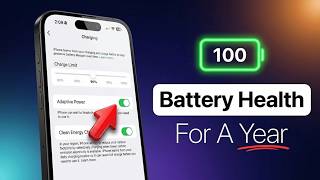 The ONLY Way To Keep Your iPhone Battery at 100%12.8K views · 1w ago · +34/h
 iPhone 18 Pro/Max - Camera Settings for Quality Photos3.6K views · 1w ago · +5/h
 Apple Just Won the AI War7.6K views · 1w ago · +2/h
 Apple Is NOT Done (China Phone Video Debunked)510 views · 1w ago · +1/h
 iOS 27: Turn Off These Settings Right Now!1.6K views · 2w ago · +1/h
Statistics from the YouTube Data API, tracked by FameX. Views per hour, revenue and comparisons are FameX estimates.