iOS 27: Turn Off These Settings Right Now!
Long-form11:47People & Blogs
Published Sep 30, 2026, 7:00 AM · 2w ago

at home
18.6K subscribers · median 6.8K views
Screen recording · confirmed$Likely
Views
1,600
+1 views/hour
Likes
36
2.3% of views
Comments
1
0.06% of views
Checked every 12 h while the video is this age · last check 10h ago · next in 69 min. YouTube itself updates public counts with a short delay.
Views / hour now
1
measured 10h ago
Peak views / hour
1
10h ago
Avg views / day
104
since upload
First 24 hours
—
not tracked from upload
vs channel median
0.2×
Rank in channel
#16
of 21 tracked
Engagement
2.3%
likes + comments / views
Est. ad revenue
$11–$26
lifetime, $7–16 RPM
Views over time
1 readings · line: total views · bars: views gained per hour
Live tracking started
The chart fills in as FameX records new readings.
Description
✅ pCloud : https://partner.pcloud.com/r/157725
✅ Join my free newsletter: https://d6df-contact.systeme.io/bf6197f8
---
💼Business / Partnerships: contact@àlamaison.tech
---
Is your iPhone really secure on iOS 27? In this video, I show you 15 hidden iOS 27 security settings you need to enable right now to protect your iPhone, your personal data and your privacy. Stolen Device Protection, Face ID, passwords, Find My, tracking and more: follow these simple steps to lock down your iPhone in minutes.
---
00:00 – Intro
00:33 – Lock down your passcode
01:29 – Know how to kill Face ID in two seconds
02:13 – Set a self destruct option, carefully
02:42 – Shrink your Auto Lock time
03:07 – Control what works on the lock screen
03:46 – Turn on Stolen Device Protection
04:42 – Lock individual apps and notes
05:33 – Get Find My ready before you need it
06:18 – Decide on Advanced Data Protection
07:01 – Back up everything (iCloud & pCloud)
08:16 – Use the Passwords app
08:45 – Clean up Safari
10:12 – Stop the leaks you didn't know about
10:46 – Kill spam texts at the source
11:06 – Set up Emergency SOS
---
My videos include affiliate links. Using these links costs you nothing extra but earns me a small commission.
Details
- Published
- Sep 30, 2026, 7:00 AM
- Length
- 11:47 (707 s)
- Format
- Long-form
- Category
- People & Blogs
- Audio language
- EN
- Quality
- HD
- Captions
- No
- Made for kids
- No
- Licensed content
- Yes
- Video ID
- OOA41C2RGLw
More from at home
 iPhone Duo: Watch This Before You Pre-Order142 views · 7h ago
 Hidden iPhone Features Apple Doesn’t Show You77.9K views · 1d ago · +3.5K/h
 iOS 27: Hidden Features You’ll Use Every Single Day7.8K views · 4d ago · +25/h
 How to Use Your New iPhone: Full Beginner's Guide447 views · 6d ago · +5/h
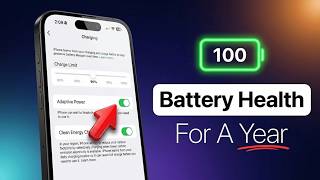 The ONLY Way To Keep Your iPhone Battery at 100%12.8K views · 1w ago · +34/h
 iPhone 18 Pro/Max - Camera Settings for Quality Photos3.6K views · 1w ago · +5/h
 Apple Just Won the AI War7.6K views · 1w ago · +2/h
 Apple Is NOT Done (China Phone Video Debunked)510 views · 1w ago · +1/h
Statistics from the YouTube Data API, tracked by FameX. Views per hour, revenue and comparisons are FameX estimates.