Every Motherboard Size Explained. Which One Is Right for You?
Long-form12:25Science & Technology
Published Aug 4, 2026, 4:33 PM · 2mo ago

Socket-X
19.7K subscribers · median 30.3K views
Screen recording · confirmed$Likely
Views
8,595
views/hour after the next reading
Likes
310
3.6% of views
Comments
23
0.27% of views
Checked every 24 h while the video is this age · last check 20h ago · next in 202 min. YouTube itself updates public counts with a short delay.
Views / hour now
—
needs two readings
Peak views / hour
—
Avg views / day
118
since upload
First 24 hours
—
not tracked from upload
vs channel median
0.3×
Rank in channel
#17
of 20 tracked
Engagement
3.9%
likes + comments / views
Est. ad revenue
$60–$138
lifetime, $7–16 RPM
Views over time
0 readings · line: total views · bars: views gained per hour
Live tracking started
The chart fills in as FameX records new readings.
Description
Motherboard size affects far more than how much space the board takes inside your case.
Mini-ITX, Micro-ATX, ATX, E-ATX, XL-ATX, and SSI-EEB may look like simple size upgrades, but each one changes expansion, case compatibility, storage options, cable management, price, and how easy the PC is to build.
What motherboard size usually does not change is gaming performance.
This video explains every major motherboard form factor, the real advantages and disadvantages of each size, and which one makes the most sense for your next PC.
From tiny Mini-ITX systems and value-focused Micro-ATX builds to full-size ATX gaming PCs, oversized E-ATX boards, rare XL-ATX platforms, and workstation-grade SSI-EEB hardware—we’re separating useful features from expensive space you may never use.
Also watch:
Every Motherboard Brand Explained
https://youtu.be/ITBy9ckvSFY
Every Motherboard Feature Explained
https://youtu.be/7CVkfi0_mME
If you’ve ever wondered:
• Whether smaller motherboards reduce gaming FPS
• Why Mini-ITX systems often cost more
• Whether Micro-ATX is enough for a high-end gaming PC
• What ATX gives you over Micro-ATX
• Why E-ATX dimensions vary between manufacturers
• Whether a massive GPU works with Mini-ITX
• What XL-ATX and SSI-EEB are actually used for
• Whether Micro-ATX fits inside an ATX case
• Or how motherboard size relates to ATX power supplies...
...this video is for you.
TIMESTAMPS
0:00 - Motherboard Sizes Explained
0:15 - Mini-ITX: Small PC, Higher Cost
1:58 - Micro-ATX: Best Value for Gaming?
3:49 - ATX: More Expansion and Upgrades
5:43 - E-ATX: Premium Features and Case Compatibility
7:10 - XL-ATX: Maximum Expansion, Limited Support
8:07 - SSI-EEB: Workstation and Server Motherboards
9:24 - Motherboard and Case Compatibility Explained
11:11 - Mini-ITX vs Micro-ATX vs ATX: Which Should You Buy?
What You’ll Learn:
• Why motherboard size normally does not affect FPS
• The advantages and disadvantages of every major form factor
• How many expansion options each size typically provides
• Why Mini-ITX builds can cost more than larger PCs
• Why Micro-ATX is often the best-value option
• When choosing ATX genuinely makes sense
• Why E-ATX does not have one consistent consumer size
• Why XL-ATX has almost disappeared
• How SSI-EEB differs from consumer motherboards
• Which motherboard sizes fit inside which cases
• Why large graphics cards can block expansion slots
• The difference between ATX motherboards and ATX 3.0 or 3.1 power supplies
Motherboard Sizes Covered:
• Mini-ITX — compact enthusiast systems
• Micro-ATX — gaming and value-focused builds
• ATX — expansion and upgrade flexibility
• E-ATX — premium enthusiast motherboards
• XL-ATX — oversized high-end platforms
• SSI-EEB — workstation and server systems
• FlexATX and Mini-DTX — uncommon smaller formats
Motherboard Examples by Size:
🔹 Mini-ITX (ASRock B860I LGA 1851) — https://amzn.to/4xk3JLZ
🔹 Micro-ATX (ASUS TUF GAMING B650M AM5) — https://amzn.to/4fAvdXI
🔹 ATX (GIGABYTE B850 Eagle AM5)— https://amzn.to/45Gugak
🔹 E-ATX (ASRock AMD X870E AM5) — https://amzn.to/4w26sZj
*As an Amazon Associate, I earn from qualifying purchases. Using these links supports the channel at no extra cost to you!
So, what motherboard size are you using right now—and why did you choose it? Was it for the price, compact size, or extra expansion? Let me know in the comments.
If this video helped you choose the right motherboard size, drop a like and subscribe for more fast, clear hardware breakdowns.
#motherboard #motherboardsize #motherboardformfactor #minitx #microatx #atx #eatx #xlatx #ssieeb #pcbuild #gamingpc #pcgaming #computerhardware #techexplained
Tags
motherboard sizesmotherboard form factorsmini itxmicro atxmatxatxe atxeatxxl atxssi eebmotherboard explainedwhich motherboard sizemini itx vs micro atxmicro atx vs atxatx vs eatxpc buildgaming pcmotherboard compatibilitypc case compatibilitymotherboard guidecomputer hardwaretech explained
Details
- Published
- Aug 4, 2026, 4:33 PM
- Length
- 12:25 (745 s)
- Format
- Long-form
- Category
- Science & Technology
- Audio language
- EN
- Quality
- HD
- Captions
- No
- Made for kids
- No
- Licensed content
- Yes
- Video ID
- AwrALoGaIk4
More from Socket-X
 Every Storage Capacity Explained. How Much Do You Actually Need?1.4K views · 20h ago · +213/h
 Every RAM Size Explained. How Much RAM Do You Actually Need?40.9K views · 1w ago
 Every NVIDIA GPU Feature Explained — What Does Your GPU Support?21.4K views · 2w ago
 Every Intel & AMD CPU explained. Which One Should You Buy?27.5K views · 3w ago
 Every MSI GPU Explained in 10 min. Which One Should You Buy?24.7K views · 4w ago
 Every Asus GPU Explained in 12 min. Which One Should You Buy?48.3K views · 5w ago
 Every GPU Brand Explained. Which One Should You Buy? [Complete Edition]153K views · 6w ago
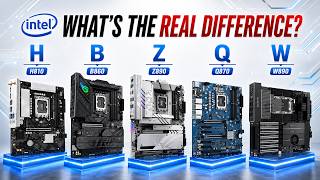 Every Intel Motherboard Chipset Explained. Which One Should You Buy?28.8K views · 7w ago
Statistics from the YouTube Data API, tracked by FameX. Views per hour, revenue and comparisons are FameX estimates.