How to Remove ALL Ads on Android and iPhone
Long-form8:13People & Blogs
Published Aug 26, 2026, 7:00 AM · 7w ago

at home
18.6K subscribers · median 6.8K views
Screen recording · confirmed$Likely
Views
1,775
+1 views/hour
Likes
31
1.8% of views
Comments
2
0.11% of views
Checked every 24 h while the video is this age · last check 12h ago · next in 716 min. YouTube itself updates public counts with a short delay.
Views / hour now
1
measured 12h ago
Peak views / hour
1
12h ago
Avg views / day
35
since upload
First 24 hours
—
not tracked from upload
vs channel median
0.3×
Rank in channel
#15
of 21 tracked
Engagement
1.9%
likes + comments / views
Est. ad revenue
$12–$28
lifetime, $7–16 RPM
Views over time
0 readings · line: total views · bars: views gained per hour
Live tracking started
The chart fills in as FameX records new readings.
Description
🛡️ AdGuard (30% off any license) : https://adguard.com?aid=138189
✅ Proton VPN (70% off) : https://go.getproton.me/SH2xT
---
💼Business / Partnerships: contact@àlamaison.tech
---
Tired of ads taking over your phone? Banners eating up half the screen, forced videos before every game reward, pop-ups that throw you onto the store without asking. In this video, I'll show you how to remove ads on Android and iPhone, for free, without rooting or jailbreaking your device. We'll apply a simple, effective method in three levels. First, private DNS — the most powerful technique for blocking ads directly inside your apps and games. Then the browser, to clean up the web and cut ads on YouTube. And finally, the hidden settings on your phone that almost nobody turns on, to close the last doors on ad tracking. I'll also explain, fully transparently, what each method really blocks and — more importantly — what it doesn't, to spare you the false promises you see everywhere. By the end of this video, you'll get a faster phone, with better battery life, less data usage, and above all, some peace. Follow the steps in order and enjoy browsing that's finally free of ads.
---
00:00 - How many ads interrupted you today?
00:31 - Level 1: DNS, your background shield
1:58 - What AdGuard is, and why go premium
3:18 - Level 2: the browser, for the web and YouTube
5:11 - Level 3: the native settings everyone forgets
5:58 - The part nobody tells you
6:43 - Troubleshooting, so you don't get stuck
7:15 - Zero ads across the whole house
---
My videos include affiliate links. Using these links costs you nothing extra but earns me a small commission.
Details
- Published
- Aug 26, 2026, 7:00 AM
- Length
- 8:13 (493 s)
- Format
- Long-form
- Category
- People & Blogs
- Audio language
- EN
- Quality
- HD
- Captions
- No
- Made for kids
- No
- Licensed content
- Yes
- Video ID
- ETttdLKBcl0
More from at home
 iPhone Duo: Watch This Before You Pre-Order142 views · 9h ago
 Hidden iPhone Features Apple Doesn’t Show You77.9K views · 1d ago · +3.5K/h
 iOS 27: Hidden Features You’ll Use Every Single Day7.8K views · 4d ago · +25/h
 How to Use Your New iPhone: Full Beginner's Guide447 views · 6d ago · +5/h
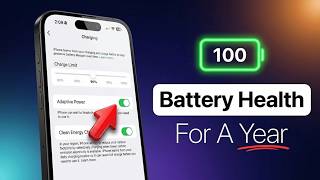 The ONLY Way To Keep Your iPhone Battery at 100%12.8K views · 1w ago · +34/h
 iPhone 18 Pro/Max - Camera Settings for Quality Photos3.6K views · 1w ago · +5/h
 Apple Just Won the AI War7.6K views · 1w ago · +2/h
 Apple Is NOT Done (China Phone Video Debunked)510 views · 1w ago · +1/h
Statistics from the YouTube Data API, tracked by FameX. Views per hour, revenue and comparisons are FameX estimates.