Every Reason Your PC is Slow Explained. Unlock +50% Speed.
Long-form10:47Science & Technology
Published Jun 12, 2026, 4:14 PM · 4mo ago

Socket-X
19.7K subscribers · median 30.3K views
Screen recording · confirmed$Likely
Views
8,008
views/hour after the next reading
Likes
299
3.7% of views
Comments
24
0.30% of views
Checked every 24 h while the video is this age · last check 13h ago · next in 623 min. YouTube itself updates public counts with a short delay.
Views / hour now
—
needs two readings
Peak views / hour
—
Avg views / day
64
since upload
First 24 hours
—
not tracked from upload
vs channel median
0.3×
Rank in channel
#19
of 20 tracked
Engagement
4.0%
likes + comments / views
Est. ad revenue
$56–$128
lifetime, $7–16 RPM
Views over time
0 readings · line: total views · bars: views gained per hour
Live tracking started
The chart fills in as FameX records new readings.
Description
Most PCs are slower than they should be—and not because the hardware is outdated. A few surprisingly common mistakes can quietly reduce gaming performance, increase load times, cause stuttering, and make even a high-end system feel slower than it should. So what are the biggest PC performance mistakes people still make?
From disabled XMP and single-channel memory to outdated GPU drivers, thermal throttling, and Windows configuration mistakes, modern PCs can lose performance in dozens of different ways. Some of these issues only cost a few percent, while others can slash framerates, increase input latency, cripple storage performance, or create frustrating stability problems that are often mistaken for failing hardware.
Whether you're building a new gaming PC, upgrading an existing system, or simply trying to get the most out of your Intel, AMD Ryzen, NVIDIA GeForce, or Radeon hardware, understanding these common performance traps can help you unlock the full potential of your machine without spending a dollar on upgrades.
Have you ever discovered one of these issues on your own PC? Let me know in the comments. And if this video helped you recover some lost performance, don't forget to like and subscribe for more fast, clear hardware breakdowns.
TIMESTAMPS
0:00 - Every PC Performance Mistake Explained
0:14 - Leaving XMP/EXPO Disabled
0:47 - Running Single-Channel Memory
1:21 - GPU Installed in the Wrong PCIe Slot
2:01 - Using the Wrong Display Refresh Rate
2:37 - Installing Games on a Slow HDD
3:08 - Leaving Resizable BAR Disabled
3:36 - SSD Installed in a Slower M.2 Slot
4:10 - Running an SSD at 95% Capacity or Higher
4:41 - RAM Installed in the Wrong Slots
5:16 - Ignoring Thermal Throttling
5:48 - Missing Chipset Drivers
6:14 - Outdated GPU Drivers
6:41 - Never Updating BIOS
7:14 - Wrong Windows Power Plan
7:40 - Too Many Background Apps
8:11 - RGB and Motherboard Bloatware
8:39 - Disabling the Page File
9:10 - Heavy Antivirus Software
9:39 - Windows "Optimizer" Software
10:07 - Malware and Cryptominers
What You'll Learn:
• How disabled XMP/EXPO profiles can leave expensive RAM running below its rated speed
• Why single-channel memory can significantly reduce gaming performance
• The hidden GPU bottlenecks caused by using the wrong PCIe slot
• How monitor refresh rate settings affect smoothness and input latency
• Why SSDs outperform hard drives in modern game engines
• The real impact of Resizable BAR, chipset drivers, BIOS updates, and Windows power settings
• How thermal throttling silently reduces CPU and GPU performance
• Which software mistakes can cause crashes, stuttering, storage slowdowns, and system instability
PC Performance Topics Covered:
• Memory Optimization (XMP, EXPO, DDR4, DDR5, dual-channel RAM, memory bandwidth)
• Graphics Performance (PCIe lanes, GPU drivers, Resizable BAR, refresh rates, frame pacing)
• Storage Performance (NVMe SSDs, M.2 slots, SSD capacity management, HDD bottlenecks)
• System Stability (BIOS updates, chipset drivers, page file configuration)
• Windows Optimization (power plans, startup applications, background processes)
• Software Pitfalls (RGB software, motherboard utilities, antivirus suites, optimizer tools)
• Security Threats (malware, cryptominers, hidden resource consumption)
Something that might come in handy:
🛠️ GPU Anti-Sag Bracket
(Cheap protection for massive modern graphics cards)
https://amzn.to/41JaLfp
*As an Amazon Associate, I earn from qualifying purchases. Using these links supports the channel at no extra cost to you!
#pcgaming #pcperformance #gamingpc #pcoptimization #morefps #windows11 #windowsoptimization #intel #amd #ryzen #nvidia #geforce #radeon #hardware #techtips #gamingperformance #computers #pcbuild #pcbuilder #fpsboost
Tags
pc performancepc optimizationgaming pcfps boostmore fpslow fpsslow pcwindows optimizationpc gaminggaming performancecomputer performancexmpexporesizable barsingle channel ramdual channel memoryddr5ddr4thermal throttlinggpu performancecpu performancepc bottleneckpcie slotm.2 ssdnvme ssdssd vs hddgpu driverschipset driversbios updatepage file
Details
- Published
- Jun 12, 2026, 4:14 PM
- Length
- 10:47 (647 s)
- Format
- Long-form
- Category
- Science & Technology
- Audio language
- EN
- Quality
- HD
- Captions
- No
- Made for kids
- No
- Licensed content
- Yes
- Video ID
- PMa1MfSL3fk
More from Socket-X
 Every Storage Capacity Explained. How Much Do You Actually Need?1.4K views · 13h ago · +213/h
 Every RAM Size Explained. How Much RAM Do You Actually Need?40.9K views · 1w ago
 Every NVIDIA GPU Feature Explained — What Does Your GPU Support?21.4K views · 2w ago
 Every Intel & AMD CPU explained. Which One Should You Buy?27.5K views · 3w ago
 Every MSI GPU Explained in 10 min. Which One Should You Buy?24.7K views · 4w ago
 Every Asus GPU Explained in 12 min. Which One Should You Buy?48.3K views · 5w ago
 Every GPU Brand Explained. Which One Should You Buy? [Complete Edition]153K views · 6w ago
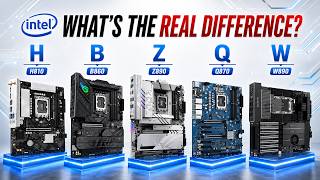 Every Intel Motherboard Chipset Explained. Which One Should You Buy?28.8K views · 7w ago
Statistics from the YouTube Data API, tracked by FameX. Views per hour, revenue and comparisons are FameX estimates.