Tech & AINoble GooseHow to Make AI Anime from Start to Finish with Japan's #1 Platform (One Piece God Valley)
How to Make AI Anime from Start to Finish with Japan's #1 Platform (One Piece God Valley)
Long-form9:53Film & AnimationPublished Sep 12, 2026, 1:00 PM · 5w ago

Views
12,007
+2 views/hour
Views / hour now
2
measured 9h ago
Peak views / hour
5
1d ago
First 24 hours
—
not tracked from upload
Engagement
3.0%
likes + comments / views
Likes
333
2.8% of views
Comments
31
0.26% of views
Est. ad revenue
$84–$192
lifetime, $7–16 RPM
Checked every 24 h while the video is this age · last check 9h ago · next in 893 min. YouTube itself updates public counts with a short delay.
Avg views / day
301
since upload
vs channel median
1.0×
this video's views ÷ the channel's usual
Rank in channel
#10
of 20 tracked
Views over time
0 readings
Total views Views gained per hour
Live tracking started
The chart fills in as FameX records new readings.
Description
▶ Try PixAI Studio and start creating your own AI anime:
https://studio.pixai.art/?utm_source=nobelgoose
▶ Explore my God Valley workflow and give it a try yourself:
https://studio.pixai.art/workspaces/01a02fef-8f35-7962-95be-ac490b5be90e/canvas
This video is sponsored by PixAI.
Learn how to make AI anime step by step with me, covering image generation, consistent characters, anime backgrounds, and video generation with PixAI Studio.
To show you the full process, I'm creating a fan-made One Piece God Valley trailer from scratch. We start with a blank canvas and build the pieces of an anime film: consistent characters, matching backgrounds, cinematic shots, and image-to-video animation. Then I bring the clips into my editor and add narration, music, and sound effects to turn them into a finished trailer.
This beginner-friendly PixAI Studio tutorial follows one complete project, so you can use the same AI animation workflow to bring your own characters and stories to life.
WHAT YOU'LL LEARN
▸ Set an anime art style with a reference image
▸ Create and reuse character references for Rocks D. Xebec, young Garp, Roger, and the rest of the cast
▸ Generate God Valley environments that share the same look
▸ Combine characters and backgrounds into cinematic keyframes
▸ Animate still images with simple action and camera prompts
▸ Keep shots, references, and alternate generations organized on the Studio canvas
▸ Assemble the trailer in a separate editor with ElevenLabs narration, music, and sound design
Watch the completed God Valley fan trailer at the end. What anime scene would you make next?
TOOLS USED
PixAI Studio — anime image generation, character and environment references, shot building, and image-to-video animation
ElevenLabs — trailer narration
Final editing, music, and sound design are assembled outside PixAI Studio.
WATCH NEXT
▶ My first PixAI anime tutorial — the Chainsaw Man opening:
https://www.youtube.com/watch?v=hfNaftWxWaw
▶ My Google Flow AI anime tutorial:
https://www.youtube.com/watch?v=VmDpBD_47M0
SUBSCRIBE
▶ More AI anime tutorials and filmmaking workflows:
https://www.youtube.com/@NobleGooseAnime?sub_confirmation=1
Contains One Piece manga spoilers related to the God Valley incident.
This is an unofficial, AI-generated fan concept and tutorial, not an official One Piece trailer. It is not affiliated with or endorsed by the One Piece rights holders. One Piece and its characters belong to their respective owners.
#OnePiece #GodValley #AIAnime #AIAnimation #AIFilmmaking #AnimeCreation #AnimeFilmmaking #AnimeCharacterDesign #CharacterConsistency #PixAI #PixAIStudio #AIAnimeGenerator #AnimeArt #ImageToVideo #AIVideo #AIVideoGenerator #AnimationTutorial #AITutorial #Anime #AIArt #AIArtGenerator #GenerativeAI #AnimeTutorial #AIVideoTutorial #NobleGoose
Tags
how to make ai animePixAI StudioPixAI tutorialOne PieceGod Valleyai animeai animation tutorialai anime generatorhow to create anime with aianime ai generatoranime character designconsistent characters aiimage to video aiai filmmakinganime trailerOne Piece God ValleyRocks D XebecPixAI image to videoanime backgroundsanime video generatorai art tutorialai video generationpix aiNoble Goosefree ai anime generator
Details
- Published
- Sep 12, 2026, 1:00 PM
- Length
- 9:53 (593 s)
- Format
- Long-form
- Category
- Film & Animation
- Audio language
- EN-US
- Quality
- HD
- Captions
- No
- Made for kids
- No
- Licensed content
- Yes
- Video ID
- q_5QS7AlNgA
More from Noble Goose
 I Gave ChatGPT and Claude $500 to Build Rival Anime Studios40.6K views · 1w ago · +103/h
 I Tested Minimax H3 for Anime - Here Are the Results11.9K views · 2w ago · +7/h
 I Tested a New FREE AI Model Built ONLY for Anime8.9K views · 2w ago · +3/h
 The COMPLETE AI Video Generators Ranked: Who Does Anime BEST? (Seedance 2.5, MiniMax H3, Wan 3.0)8.9K views · 3w ago · +13/h
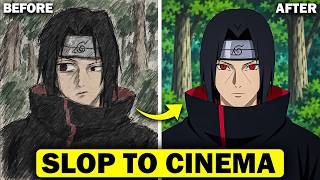 Why Your AI Videos Look Bad (And How to Fix It)7.1K views · 4w ago · +1/h
 I Gave ChatGPT and Claude $200 to Build Rival Anime Studios217K views · 6w ago · +146/h
 How to Make AI Anime with Seedance 2.5 (Full Workflow)16K views · 2mo ago · +8/h
 The LATEST AI Video Generators Ranked: Who Does Anime BEST? (MiniMax H3, FLUX 3 Video, Seedance 2.5)47.2K views · 2mo ago · +35/h
Statistics from the YouTube Data API, tracked by FameX. Views per hour, revenue and comparisons are FameX estimates.